
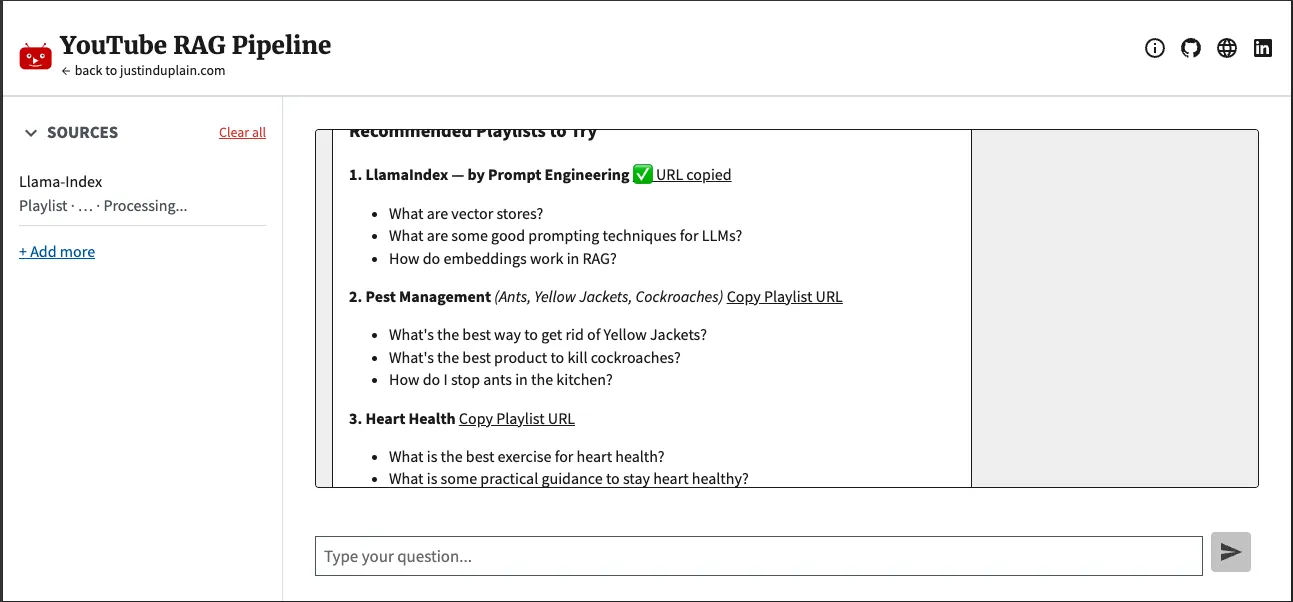
Guided onboarding with recommended playlists and easy copy/paste ingestion.
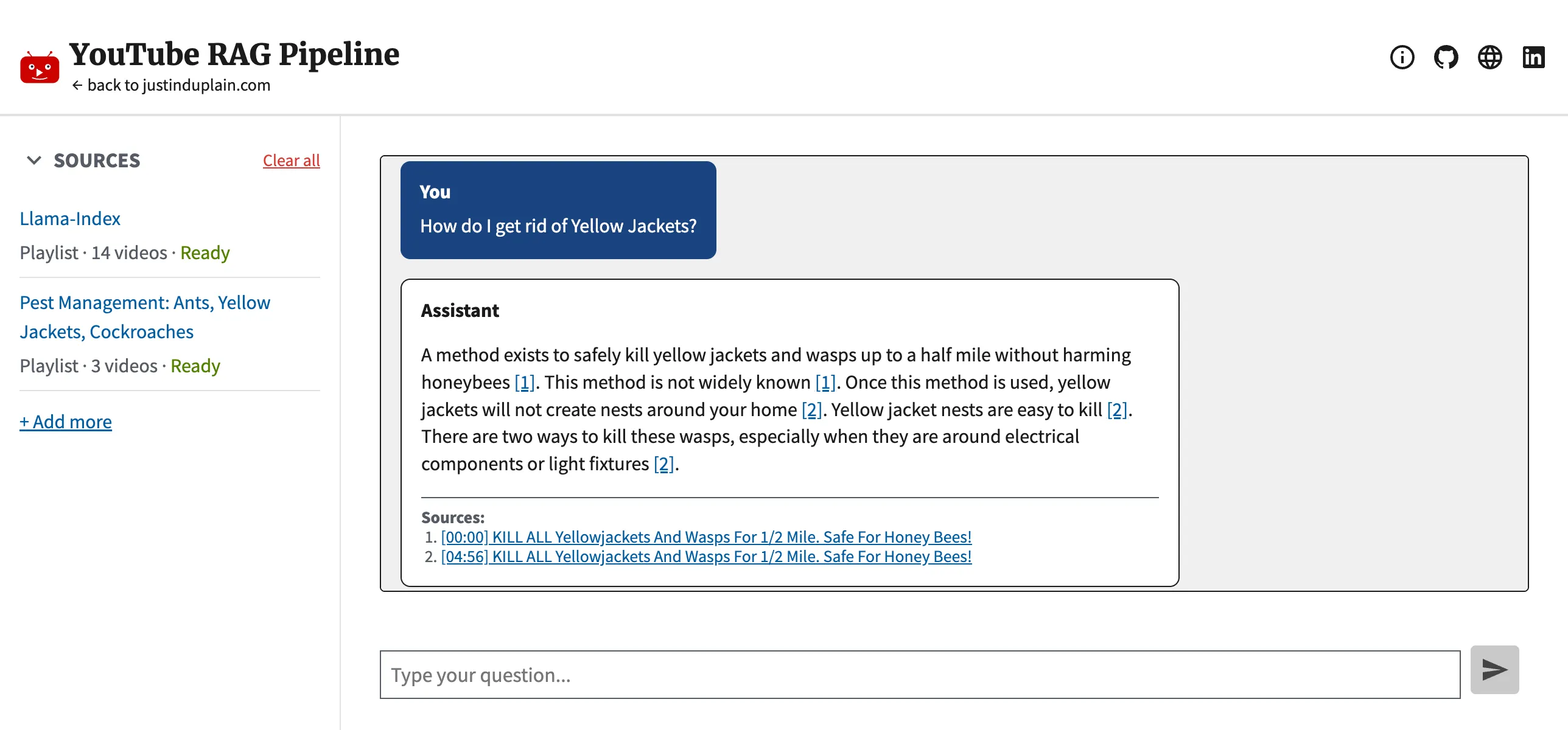
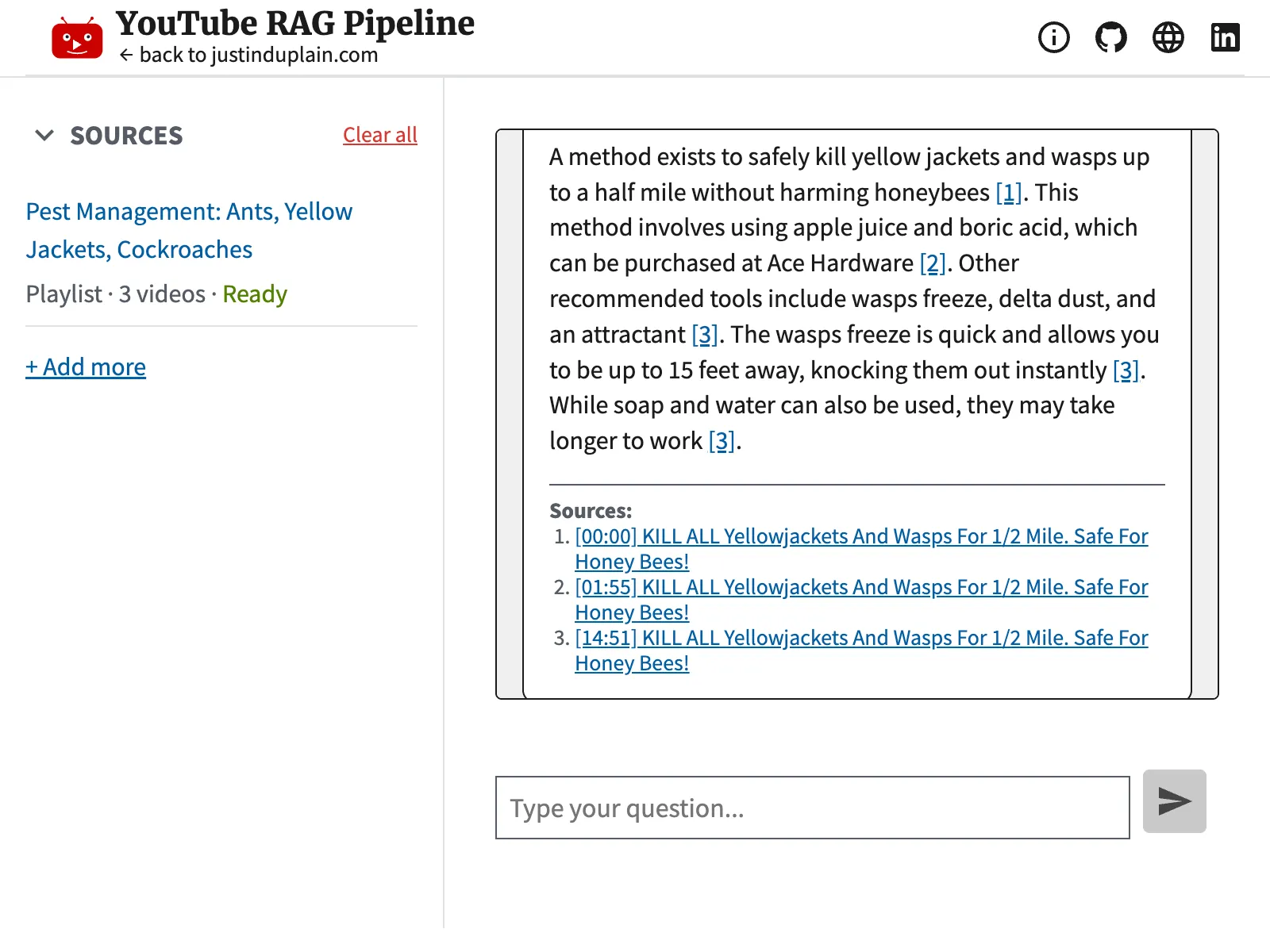
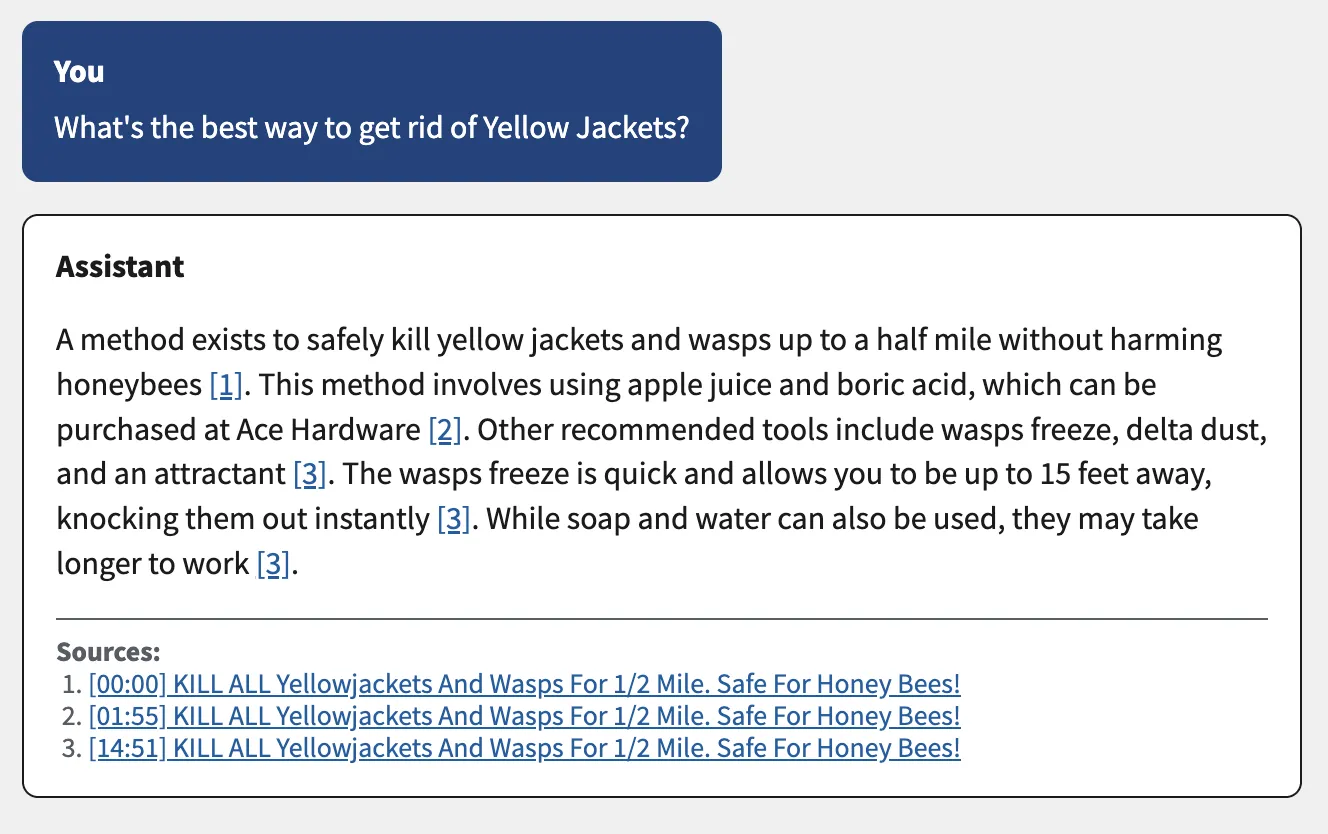
AI-generated answer with verifiable timestamp citations. Click the timestamp to navigate to the exact second of the source video.
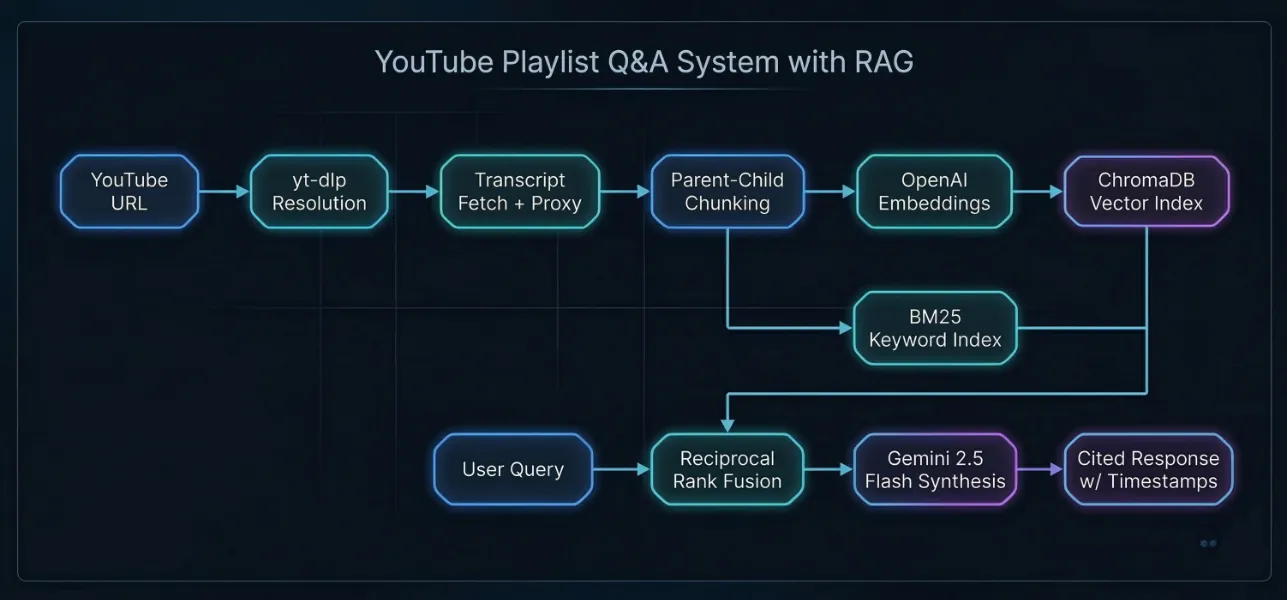
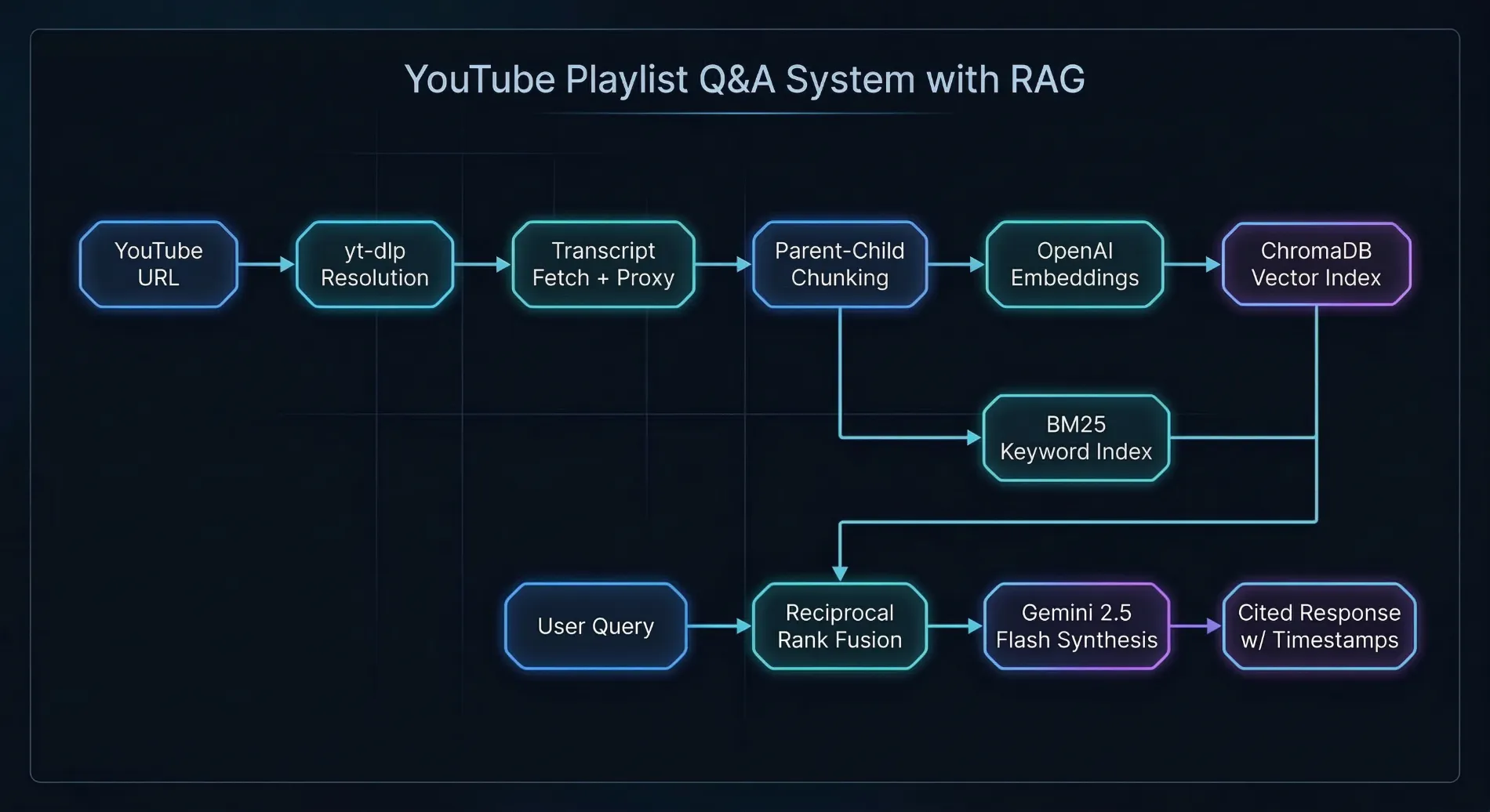
Architecture: hybrid BM25 + vector search with Reciprocal Rank Fusion.
Details
The Problem
I save a lot of YouTube videos for research and reference: vehicle and home maintenance, health and fitness, learning new technologies. These are from people and channels I trust, and over time the playlists grow long. When I need to check something specific, I don't want to scrub through dozens of videos hoping to find the right 30-second segment buried in an hour of content.
The Solution
This application turns hours of video into a searchable knowledge base. Paste a YouTube playlist URL, wait a few minutes for it to index, and ask questions in plain English. You get a direct answer with clickable timestamp citations that link to the exact moment in the source video. Nothing the AI says has to be taken on faith. Every claim is verifiable with one click.
How It Works
The system has two phases. During ingestion, the backend resolves a YouTube URL to individual videos, fetches their transcripts, and builds a two-tier search index. The sidebar tracks each video's progress in real time: fetching, indexing, skipped, or failed, with a summary when the job completes.
During retrieval, a user's question runs against two different search strategies in parallel: a vector similarity search (good at understanding meaning) and a keyword search (good at matching exact terms). The results are merged into a single ranked list using Reciprocal Rank Fusion. The top-ranked transcript segments are then passed to an AI model that writes an answer with inline citations.
Key Technical Decisions
- Hybrid search with Reciprocal Rank Fusion: Vector search alone struggles with exact terms and proper nouns. Keyword search alone misses semantically related content. Running both in parallel and fusing the results gives the best of both approaches without needing to manually tune how much weight each one gets.
- Parent-child chunking: Transcripts are split into small chunks (256 tokens) for precise search matching, but each small chunk is linked to a larger parent chunk (1,024 tokens) that gives the AI enough surrounding context to write a useful answer. This avoids the usual trade-off where you have to choose between search accuracy and answer quality.
- Separate models for generation and embeddings: Gemini 2.5 Flash handles answer generation at low cost. OpenAI's text-embedding-3-small is a top performer for search-quality embeddings. Using different providers for different tasks lets each one play to its strength rather than locking the system into a single vendor.
- Backend citation verification: The AI generates answers with source labels, and the backend validates that every factual sentence is properly cited. If citations are missing or point to unknown sources, the system sends the answer back for one automated repair attempt. If the repair also fails, the user sees a visible warning instead of a silently unverified answer. This is the kind of reliability engineering that separates a demo from a production system.
Cited Answers You Can Verify
Every claim in a generated answer links to the exact second in the source video. But generating citations is only half the problem. The backend verifies them too. After the AI writes an answer, the system checks that every factual sentence is properly cited and that all cited sources actually exist in the candidate set. If validation fails, the answer goes through one automated repair pass with the specific errors attached. If the repair also fails, the UI shows a clear warning rather than silently presenting an unverified answer.
This is the core value of the system. If you can't verify what the AI says, it's just another chatbot. The citation architecture, with its built-in verification and graceful degradation, turns it into a research tool.
Frontend and Accessibility
The frontend is built with React 19 and the U.S. Web Design System (USWDS), styled with Tailwind CSS and a three-tier design token system via Style Dictionary. It meets Section 508 federal accessibility standards, validated automatically in the test suite with Vitest-Axe. I chose to build against federal design standards because it forced disciplined component architecture and thorough accessibility testing from the start, not as an afterthought.
Testing
The citation pipeline and ingestion system both have dedicated test suites. Backend tests cover citation validation, repair, reranking, per-video diversification, and job persistence across restarts. Frontend tests cover citation link rendering, warning banner display, ingestion status formatting, and polling failure recovery. Accessibility is validated automatically with Vitest-Axe on every test run.
Challenges
YouTube actively blocks cloud provider IPs, so getting transcripts to work reliably on AWS EC2 meant integrating a rotating residential proxy through Webshare. Tuning chunk sizes was iterative. Too small and the AI lacked context for useful answers; too large and search precision dropped. On the UX side, I built a guided onboarding flow with recommended playlists and one-click URL copy so that first-time visitors could see value within seconds of loading the app.